
Guide
Graphics Settings for Traffic Racer Open World on Any Phone
Preset-by-preset settings advice: flagships at full postcard, mid-range at the sweet spot, and budget phones without losing a single road.
ROAD MAP On this page
The game scales gracefully, but its default preset is a guess about your phone, and guesses deserve checking. These are the settings our reviewer settled on across the whole test rack, from the Galaxy A13 to the Pixel 8, for Traffic Racer Open World APK.
Flagships
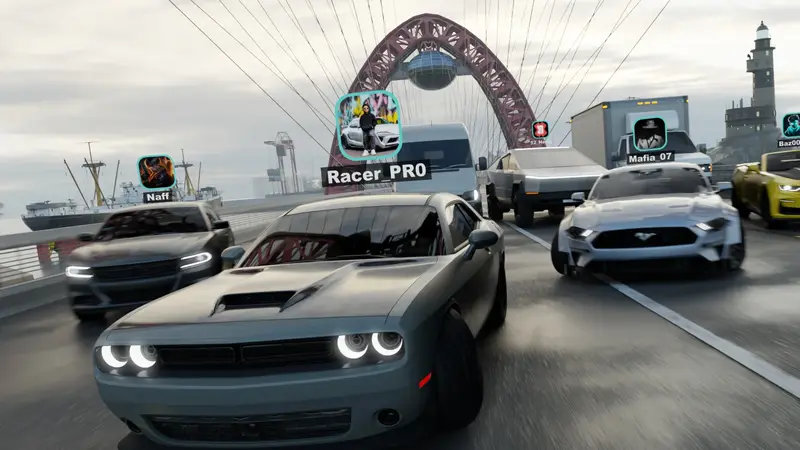
Run the high preset and take the postcard: dense traffic, long draw distances, weather at full drama. The city in rain at night on a big bright screen is this game's showroom moment, and modern flagships hold it well.
Mid-range phones
Medium preset with shadows stepped down once is the sweet spot most readers should start from. Busy city scenes stay fluid, battery drain stays sane, and the world loses none of its character.
Budget phones
Low preset, trimmed effects, and a promise from the engine: because the map streams in sections, lowering detail never removes roads, cars or missions. Close background apps, keep storage headroom, and the countryside in particular plays beautifully. Our budget-phone test covers the honest limits in full. Set it once, honestly, and Traffic Racer Open World feels right on any phone.
Keep driving
Quick Answers
Does the low preset cut content?
No. Roads, cars and missions all remain; only visual detail and effects reduce.
Which single change helps stutter most?
Dropping one preset step, then closing background apps. Test in rush-hour city traffic, the heaviest scene.
Do settings affect online rooms?
Only your own device's rendering. Your rooms, cars and progress are identical either way.