
Guide
Traffic Racer Open World on Budget Phones: An Honest Test
Tested on a Galaxy A13: what a big open world feels like on small hardware, where it shines, where it strains, and the settings that fix it.
ROAD MAP On this page
Big open worlds are supposed to be flagship toys. We ran our full test routine on the oldest phone in the rack, a Galaxy A13 on Android 12, to find out whether that is true here. The full review lives on Traffic Racer Open World official site; this is the budget chapter.
What shines
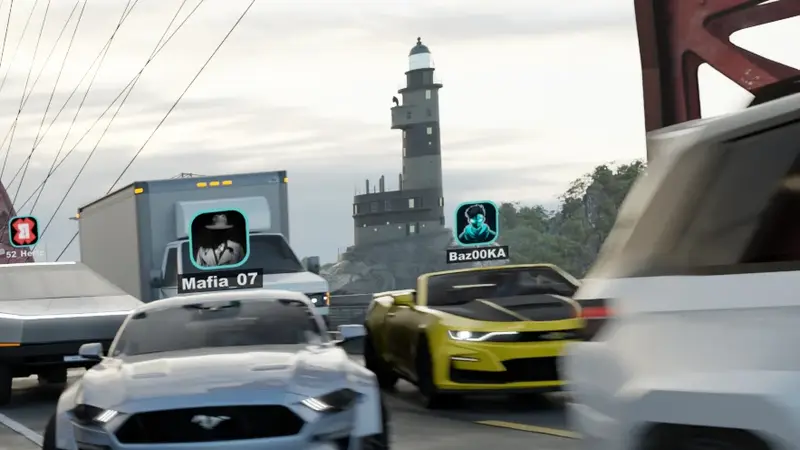
The village and countryside are genuinely lovely on low settings: streaming keeps the world whole, traffic behaves, and missions play exactly as designed. Highway runs hold up well outside peak density. For most of the map, most of the time, a budget phone is not a compromise; it is just the game with softer edges.
Where it strains
Rush-hour city traffic in rain is the heaviest scene the developers built, and it shows: frame pacing wobbles, and long sessions warm the phone into throttling. Full online rooms come second. Neither is unplayable, but both reward the low preset and shorter sittings.
The verdict for budget players
You trade spectacle, not substance. Every road, car, mission and room is present, and the download is the same verified build the flagships get. For a free game of this scale, that is the right trade, and we recommend it without the usual asterisk. On the right settings, Traffic Racer Open World proves budget phones can hold a big world.
Keep driving
Quick Answers
Can 3 or 4 GB of RAM handle the game?
Yes, on the low preset with background apps closed. Village and highway play is smooth; peak city density is the real test.
Will my phone overheat?
Long sessions in heavy traffic warm any phone. Lower the preset and play in sittings; the game itself is well behaved.
Is Android 7 enough?
It is the minimum and it runs. Android 12 and newer, like our A13 test phone, are noticeably more comfortable.